App makers · App rating requests
When should an iPhone app ask for a rating after an export?
Wait until the user has finished with the file, then let StoreKit decide whether to show a request. A 60-person example shows which events your app can measure and which ones it cannot.
GimmeTheSauce editorial ·
If a person still needs to share or save their file, wait. A generated PDF is a technical success, but a rating request just before the share sheet would get between the person and the result they came for. Consider a later pause after someone has used the app enough to form an opinion. Apple recommends asking after engagement and avoiding first launch, onboarding and interruptions. Apple’s design guidance for ratings and reviews
Give the automatic request and the Settings link different jobs
Imagine a receipt scanner. An owner photographs the last receipt, exports a PDF, sends it to their bookkeeper and returns to the receipt list. Watch that sequence on a phone. If the owner returns to correct a missing page, they are still working. If they have finished and the list is idle, you have a possible moment to test.
For an automatic request, SwiftUI provides the StoreKit requestReview environment action. Your app decides when to call it. StoreKit controls presentation, and a call can complete without showing anything. Apple’s sample uses a completed-task count to delay the request. Choose a threshold that fits your own product’s usage. Apple’s StoreKit sample
If someone deliberately taps Write a review in Settings, give the button a predictable destination. Copy your app’s App Store product URL. If it has no query string, append ?action=write-review and test the resulting link on a device. Use the system-provided request for the automatic path. Apple disallows custom review prompts. StoreKit’s request and persistent-link guidance · App Review Guidelines, section 5.6.1
Count the decision your app actually made
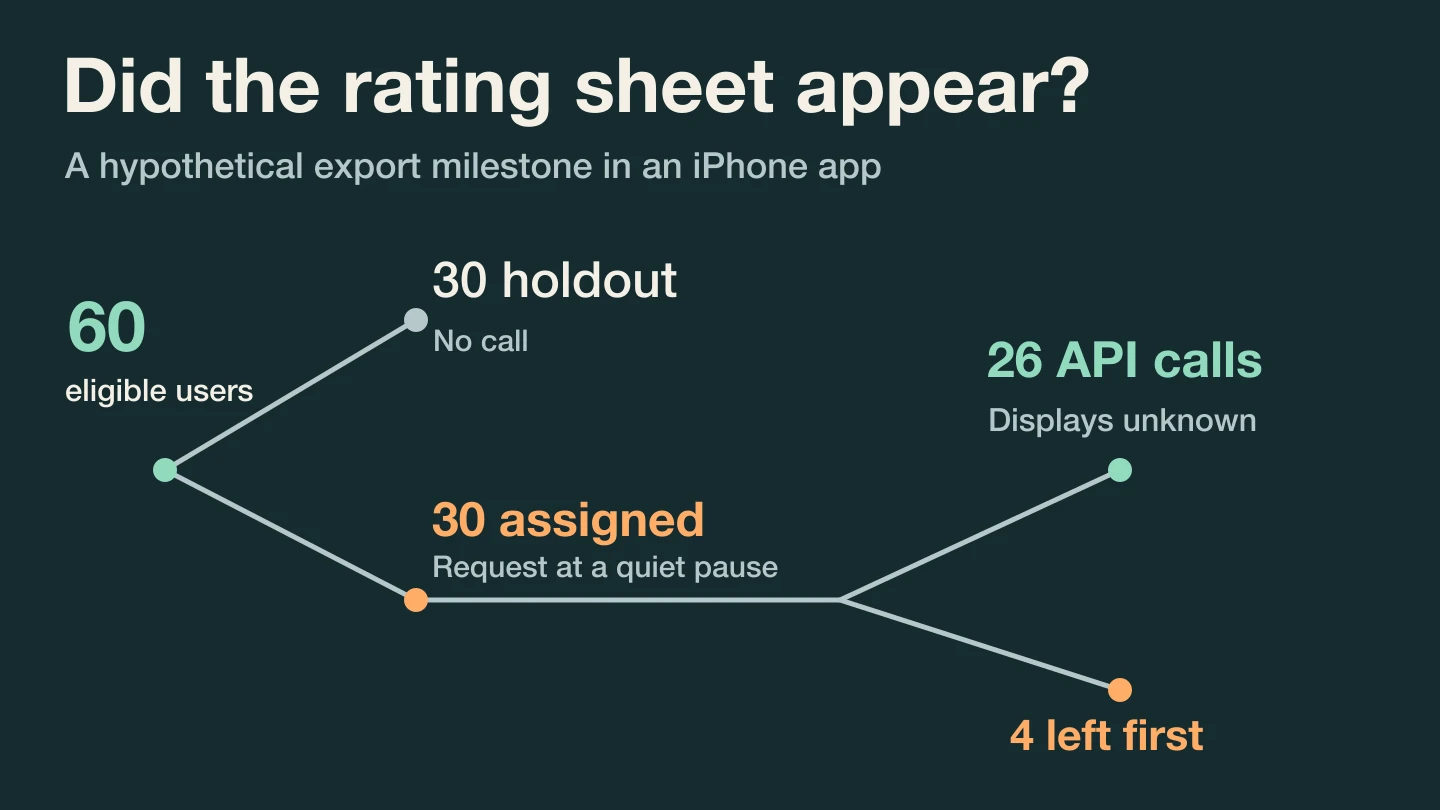
Suppose your test rule is “completed three exports on different days and returned to the idle list.” This is an invented product rule. Assign each eligible person once to a group and keep that assignment on later visits.
| Hypothetical observation | Holdout | Assigned a request |
|---|---|---|
| Eligible people assigned | 30 | 30 |
| Reached the StoreKit call | 0 | 26 |
| Completed another export within seven days | 20 | 19 |
Four people in the request group left the screen before the call. 26/30, about 87%, measures how often your implementation reached the call among people assigned to it. The app cannot turn that into 26 displayed sheets or 26 submitted ratings. StoreKit can suppress presentation. Even the documented maximum of three presentations in 365 days for someone who has not rated or reviewed on that device is a limit, not a schedule.
Wait until all 60 people have the full seven days of follow-up. Subsequent exports were 19/30 versus 20/30, a difference of one person, or about 3.3 percentage points lower in the request group. Keep the four who left in their assigned group. This small result would make me inspect the timing with a few willing users before rolling it out broadly. It does not establish that a visible sheet cost an export.
Rehearse the moment before shipping it
Test a successful share, a canceled share and leaving the result screen while your request is pending. Cancel the pending request when the context is no longer suitable. Apple says the request view displays in development for testing, while the request has no effect in TestFlight. Use development to inspect placement and TestFlight to verify that the task still works when nothing appears. StoreKit testing behavior
If a reminder permission request is also due, rehearse the permission flow separately. Bring the screen sequence and the two group counts to Tim Gabe’s AI mentor to review the timing ↗. The question to settle is whether the person has finished their job when your app asks.