App makers · Android release recovery
If I halt a Google Play rollout, what happens to people who updated?
Halting limits further distribution. People who already received the faulty build keep it. Use the installed version and a reproduction of the failure to decide whether to resume or ship a corrected update.
GimmeTheSauce editorial ·
Halting a Google Play staged rollout stops additional users receiving that version through the rollout. Users who already received it stay on it. If the binary contains the defect, plan a corrected release and verify the upgrade from the faulty build. Staged rollouts apply to updates. For a first production release on a qualifying personal account, check closed-test eligibility instead. Google Play’s staged rollout instructions
Decide what the percentage actually tells you
Suppose build 42 of a field-notes app is rolling out to 5%. The percentage controls who can receive the update. It tells you little about how many recipients installed it, opened a saved notebook or tried to export it. Look up the installed version when investigating a support report.
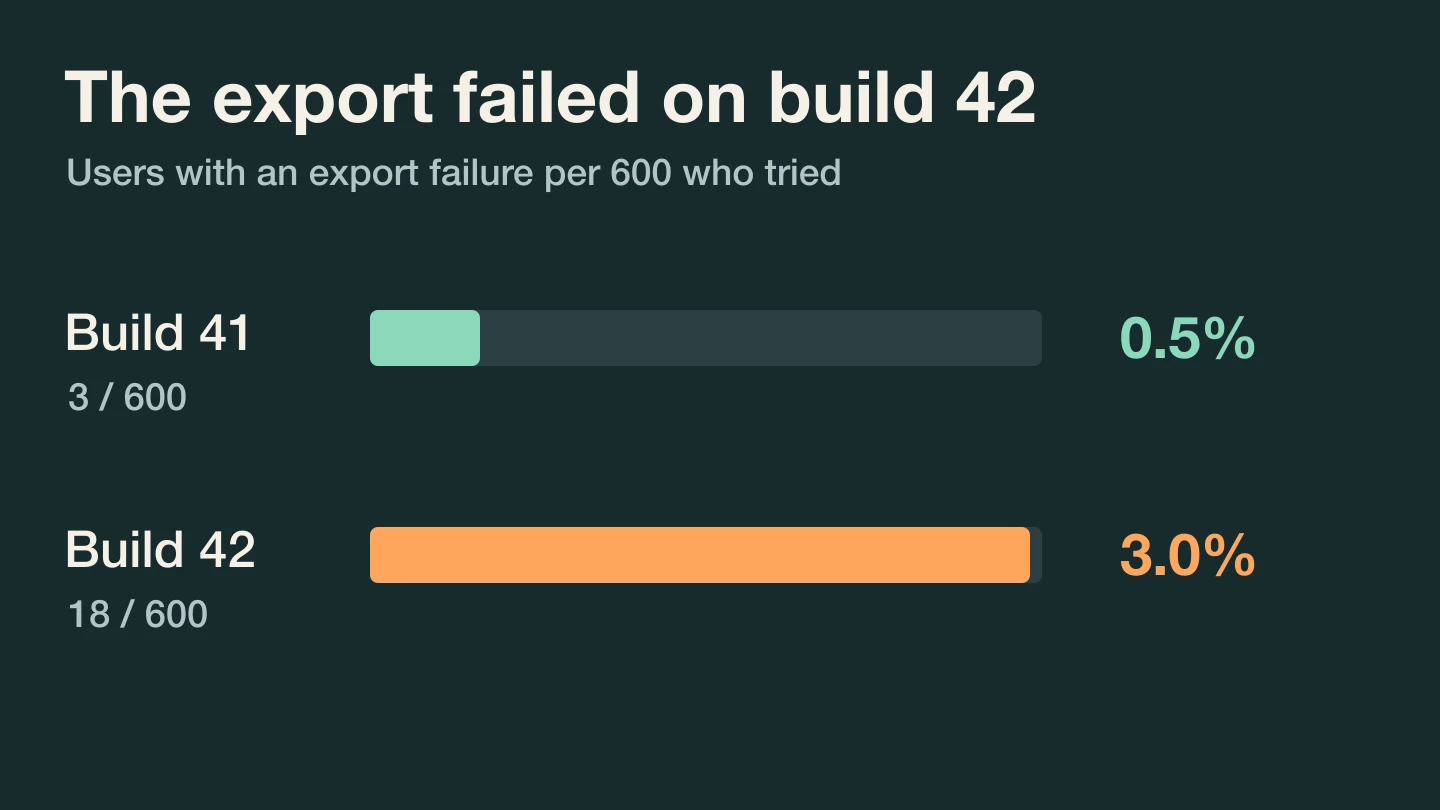
Here is a hypothetical incident. During the same observation window, 600 distinct users on build 42 tried to export at least once. Eighteen saw the export fail. Among 600 users still on build 41 who attempted the same task, three saw a failure. Count a user once per build group even if they tapped Export four times. In this example the groups are disjoint.
That gives 18/600 = 3% versus 3/600 = 0.5%, a gap of 2.5 percentage points. The devices and notebooks in the two groups may differ. The counts tell you where to investigate. They cannot identify the faulty code or show that every user on 42 lost data.
Reproduce the upgrade a customer received
On a test device, create a notebook in 41. Keep its expected export. Install 42 over it, reopen the same notebook and export again. Repeat with a notebook created fresh in 42. A clean-install test alone misses changes to stored data during upgrade.
Suppose the old notebook reproducibly fails while a fresh notebook exports. If customers depend on that export, halt the rollout while you investigate. Keep a copy of the failing test fixture. Before advising someone to reinstall, establish whether their notes exist only on that device. A workaround that discards the only copy of their work creates a second incident.
Google Play lets you halt a staged release under Manage rollout and resume the same eligible group later. For a defect in the bundle, Google recommends creating a fixed release. Use a higher version code for the corrective build. Google’s rollout recovery options · Android version code guidance
Verify the fix on the path that broke
For build 43, test 41 → 42 → 43 with the failing notebook intact. Separately test 41 → 43 for users who never received 42. Compare both exports with the expected rows, including empty fields and older records. Record whether the notebook still opens after a restart.
Bring the two upgrade paths and anonymized failure counts to Guillermo Rauch’s AI mentor to review the recovery test ↗. Widen distribution once the corrected build handles those paths and you can observe export attempts and failures by installed version. A falling overall error count while fewer people install 42 would otherwise look like a repair.