App makers · Google Play closed testing
A tester left my Google Play closed test. Do the 14 days start over?
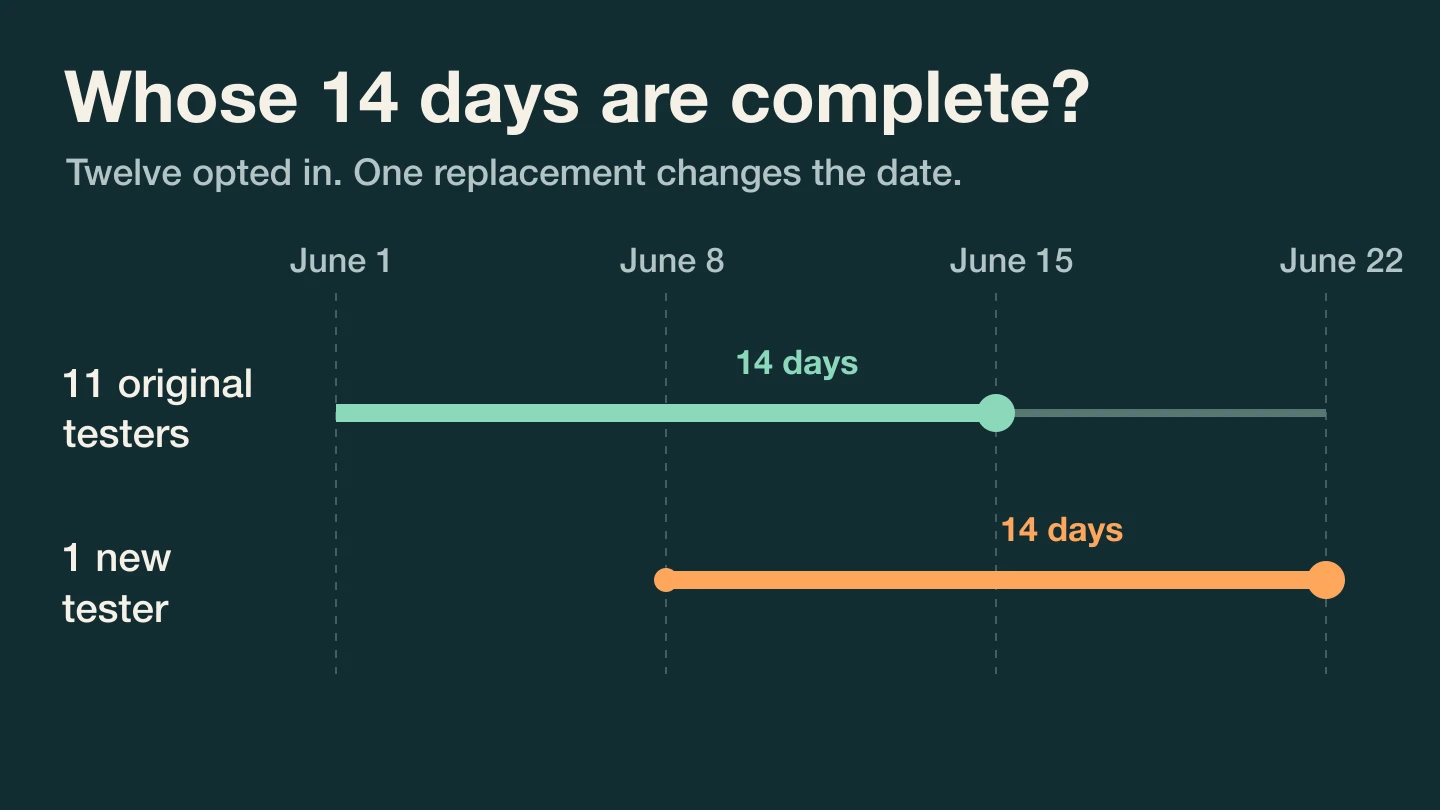
Count the testers who are still opted in and have each completed 14 continuous days. A replacement starts their own clock. Two calendars show when losing one person changes the application date.
GimmeTheSauce editorial ·
One departure does not reset the clocks of the people who stayed. For personal Play developer accounts created after November 13, 2023, Google requires at least 12 testers still opted into the app’s closed test at application time, each continuously opted in for the preceding 14 days. A replacement counts once that person has completed the full interval. Check the Dashboard in Play Console before promising a launch date. Meeting the testing threshold lets you apply for production access. Google still reviews the application. Google’s account-specific testing requirements
Count the people on the application date
Imagine twelve people opt in at noon UTC on June 1. Eleven stay throughout. The twelfth opts out on June 8, and a replacement opts in at noon that day. Here is the hypothetical ledger, using the same time of day for every check.
| At noon UTC | Original testers still in | Replacement’s continuous time | People with a full 14 days |
|---|---|---|---|
| June 8 | 11 | 0 days | 0 |
| June 15 | 11 | 7 days | 11 |
| June 22 | 11 | 14 days | 12 |
You have twelve current testers on June 15 but only eleven who satisfy the duration rule. Assuming everyone stays, June 22 is the earliest application date supported by that ledger. The replacement’s seven days on June 15 cannot be added to the departing tester’s seven. If the original tester rejoins, treat the new opt-in as the start of a fresh continuous interval for that person.
Change one assumption. Suppose thirteen people joined on June 1 and one left on June 8. The twelve who stayed would each reach 14 days on June 15. Recruiting a few extra suitable people can protect the schedule. Choose people who can actually try the app’s core task.
Check who really joined
An email address on the tester list is an invitation. Have the tester open the opt-in link using the intended Google account and check that they can install the closed-track build. Someone already enrolled in the app’s internal test must leave that track before opting into the closed test. Allow for the test link to become available after publication. Use Play Console for the actual eligibility status. Google’s instructions for testing tracks and opt-in links
If recruiting is the bottleneck, find people with an upcoming task your app can help them finish. That guide uses a SaaS example. For the Android test, also explain the opt-in period, the build they should receive and where to send feedback.
Prepare an answer beyond the tester count
For a workout logger, give testers one specific job. Save a workout offline, reopen the app, reconnect and check whether the workout appears once. Record the build, device, attempted task, observed result and what happened on retest. If a workout duplicates, preserve a reproducible sequence with invented data. Ask someone who encountered it to try the corrected build.
Google asks about engagement, feedback and readiness when you apply. A list of dates can explain eligibility. A reproducible bug, a fix and a successful retest explain what you learned. Bring that task and one anonymized observation to Jesse Venticinque’s AI mentor to plan the next test session ↗. Use the Play Console dashboard for the application decision.
Once the app is public, a different release decision arises. If an update breaks the task you rehearsed, check what halting a staged rollout does for customers who already installed it.