App makers · iOS release recovery
Does pausing an App Store phased release stop a bad iOS update?
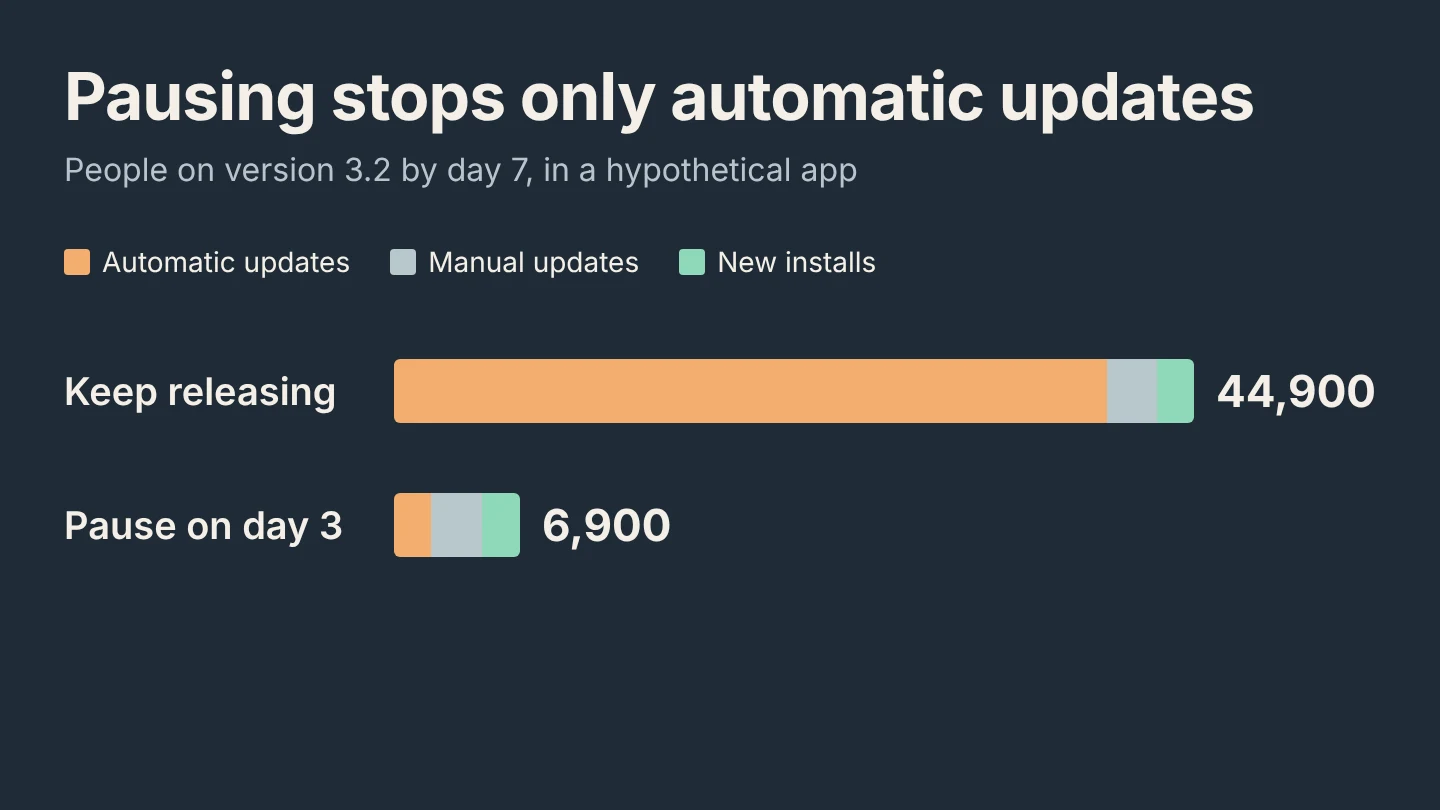
Only for automatic updates. In a hypothetical 50,000-user app, pausing on day 3 holds back 38,000 automatic updates, while manual updates and new installs still bring 3.2 to 6,900 people by day 7. Plan the fix for that group too.
GimmeTheSauce editorial ·
No. Pausing a phased release stops Apple from sending the update to more people with automatic updates turned on. Anyone can still download that version manually from the App Store, and new downloads get it too. A pause narrows the problem. Your fix still has to reach the people who already have the build and the people who keep getting it. Apple’s phased release guide
What a phased release controls
Apple releases the update over seven days to a random sample of users with automatic updates turned on, on eligible devices. The cumulative share is 1%, 2%, 5%, 10%, 20%, 50% and 100% on days 1 to 7. You can pause for a total of 30 days, across as many pauses as you need. Resuming continues from the day where you paused. You can also choose Release to All Users at any time.
Removing the app from sale is not a stronger pause. Apple says it stops the phased release permanently for that version. When the app returns to sale, the version becomes available to all users immediately.
Count who still gets the build
Suppose a hypothetical iPhone app has 50,000 active users on version 3.1. Of those, 40,000 have automatic updates on. The other 10,000 update manually; in this example, 400 of them do so every day. Another 300 people download the app each day, and they get the current version. On day 3, crash reports show that exporting crashes in 3.2.
| By the end of day 7 | Keep releasing | Pause on day 3 |
|---|---|---|
| Automatic updates | 40,000 | 5% × 40,000 = 2,000 |
| Manual updates, 400 a day for 7 days | 2,800 | 2,800 |
| New installs, 300 a day for 7 days | 2,100 | 2,100 |
| People on 3.2 | 44,900 | 6,900 |
Manual updates and new installs are counted over all seven days, at 7 × 400 and 7 × 300. The pause holds back 38,000 automatic updates. It does nothing for the 4,900 people who choose 3.2 or install it fresh.
Read your own crash and support data by app version before using numbers like these. Phased release says nothing about how many users opened the broken screen.
Choose the fix for each group
- People who already have 3.2. You cannot roll an iOS build back. If the broken feature reads a remote setting, turn it off from your server so those users stop reaching the crash. Otherwise, the next build is the fix.
- People who keep getting it. Submit 3.2.1 and request an expedited review for a critical bug fix. Apple asks you to include the steps that reproduce the bug in the current version. Apple’s App Review page
- The remaining automatic updates. Stay paused while the fix is reviewed. Watch the 30-day total. If 3.2 turns out to be fine apart from one setting you have now disabled, resume or release to all users instead of shipping a version nobody needs.
Google Play uses its own controls: halting a staged rollout stops additional users from receiving that version through the rollout. People who already updated have the same problem there. Compare how a halted Play rollout treats people who already updated.
Decide before the next release
Write the pause rule down before you submit: which crash or support signal, for which version, triggers a pause. Add a remote switch to any risky feature in the build. Rehearse the expedited review request with a written reproduction. When you prepare the next review submission, give App Review a path to every feature it needs to check.
Bring your release day, user counts and bug impact to Adam Lyttle’s AI mentor to plan the recovery ↗. Use aggregate numbers, not user identifiers.